Vue3-Smooth-Dnd:Vue3的平滑拖拽组件库
引言:
在前端开发中,拖拽交互无处不在:任务看板、文件管理器、表单构建器...然而,原生拖拽API体验生硬,动画效果差强人意。今天,我要向大家推荐一款让拖拽体验焕然一新的神器——Vue3-Smooth-Dnd!
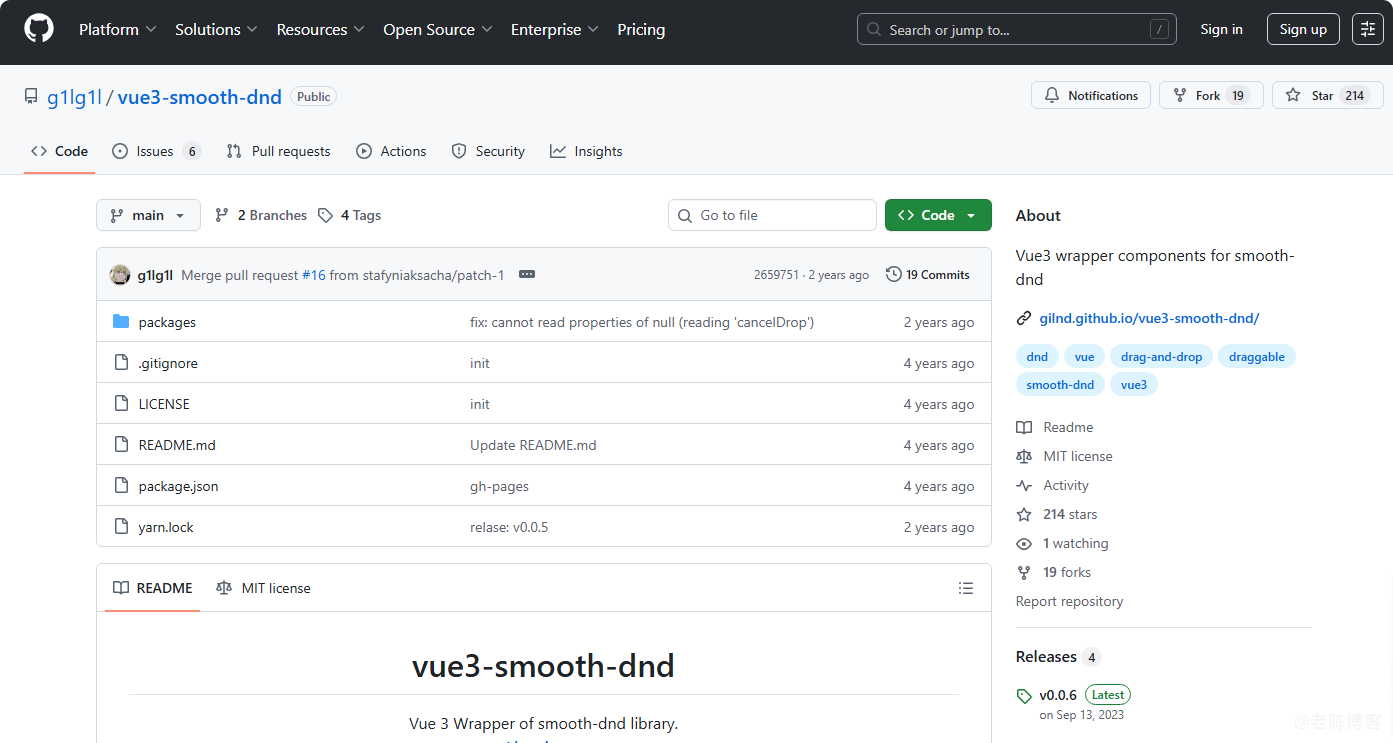
Vue3-Smooth-Dnd 是基于Vue 3的平滑拖拽组件库,封装了smooth-dnd库的核心功能,支持垂直/水平拖拽、事件处理和自定义样式。它不仅提供了流畅的拖拽动画,还拥有丰富的配置选项,让你的拖拽交互如丝般顺滑!
正文
Vue3-Smooth-Dnd优点有哪些呢?
- 极致流畅 - 基于Transform实现的60fps平滑动画
- 简单易用 - 直观的API设计,快速上手
- 高度可定制 - 支持自定义拖拽效果、占位符、动画曲线
- 移动端友好 - 完美支持触摸操作
- 丰富示例 - 覆盖各种常见拖拽场景
1.安装
npm install vue3-smooth-dnd
或者
yarn add vue3-smooth-dnd
2.基础使用
<template>
  <div>
    <span>Studio Ghibli Tier List</span>
    <Container @drop="onDrop">
      <Draggable v-for="(item, i) in items" :key="item.id">
        <div>
           {{i + 1}} -> {{item.data}}
        </div>
      </Draggable>
    </Container>
  </div>
</template>
<script>
import { Container, Draggable } from "vue3-smooth-dnd";
export default {
  name: "app",
  components: { Container, Draggable },
  data() {
    return {
      items: [
        { id: 1, data: "Princess Mononoke" },
        { id: 2, data: "Spirited Away" },
        { id: 3, data: "My Neighbor Totoro" },
        { id: 4, data: "Howl's Moving Castle" }
      ]
    };
  },
  methods: {
    onDrop(dropResult){
      this.items = this.applyDrag(this.items, dropResult);
    },
    applyDrag(arr, dragResult){
      const { removedIndex, addedIndex, payload } = dragResult;
      if (removedIndex === null && addedIndex === null) return arr;
      const result = [...arr];
      let itemToAdd = payload;

      if (removedIndex !== null) {
        itemToAdd = result.splice(removedIndex, 1)[0];
      }
      if (addedIndex !== null) {
        result.splice(addedIndex, 0, itemToAdd);
      }
      return result;
    }
  }
}
</script>
3.进阶使用
(1)实战案例:任务看板
使用 Vue3-Smooth-Dnd 构建一个完整的任务看板:
<template>
  <div class="kanban-board">
    <Container
      v-for="column in columns"
      :key="column.id"
      group-name="tasks"
      @drop="(e) => onColumnDrop(column.id, e)"
      :get-child-payload="getCardPayload(column.id)"
    >
      <div class="column">
        <h3>{{ column.title }}</h3>
        <Draggable v-for="card in column.cards" :key="card.id">
          <div class="card">
            <h4>{{ card.title }}</h4>
            <p>{{ card.description }}</p>
          </div>
        </Draggable>
      </div>
    </Container>
  </div>
</template>
(2)自定义拖拽效果
<Container
  :drag-class="'dragging'"
  :drop-class="'dropping'"
  :drop-placeholder="{
    className: 'drop-preview',
    animationDuration: '150',
    showOnTop: true
  }"
>
  <!-- 内容 -->
</Container>
(3)拖拽手柄
<Draggable>
  <div class="item">
    <div class="drag-handle">⋮⋮</div>
    <div class="content">可拖拽内容</div>
  </div>
</Draggable>
(4)动画曲线定制
<Container
  :animation-duration="250"
  :easing-function="easingCubic"
>
  <!-- 内容 -->
</Container>
性能优化
- 虚拟滚动 - 大量数据时结合虚拟滚动
- 合理使用shouldAcceptDrop - 控制拖拽接收条件
- 避免复杂样式 - 拖拽元素避免使用复杂CSS
- 按需导入 - 只导入需要的组件
- 拖拽时闪烁 - 检查CSS transform属性是否被覆盖,确保容器有明确的尺寸
- 拖拽不灵敏 - 确认touch-action样式设置正确,避免与浏览器默认行为冲突。
总结
Vue3-Smooth-Dnd 以其出色的性能和友好的API,让复杂的拖拽交互变得简单而优雅。无论是简单的列表重排,还是复杂的看板系统,它都能轻松应对。